AI SECURITY LAB | GPT-THINK

IS IT SAFE?

Before you click, install or trust it… CHECK FIRST.

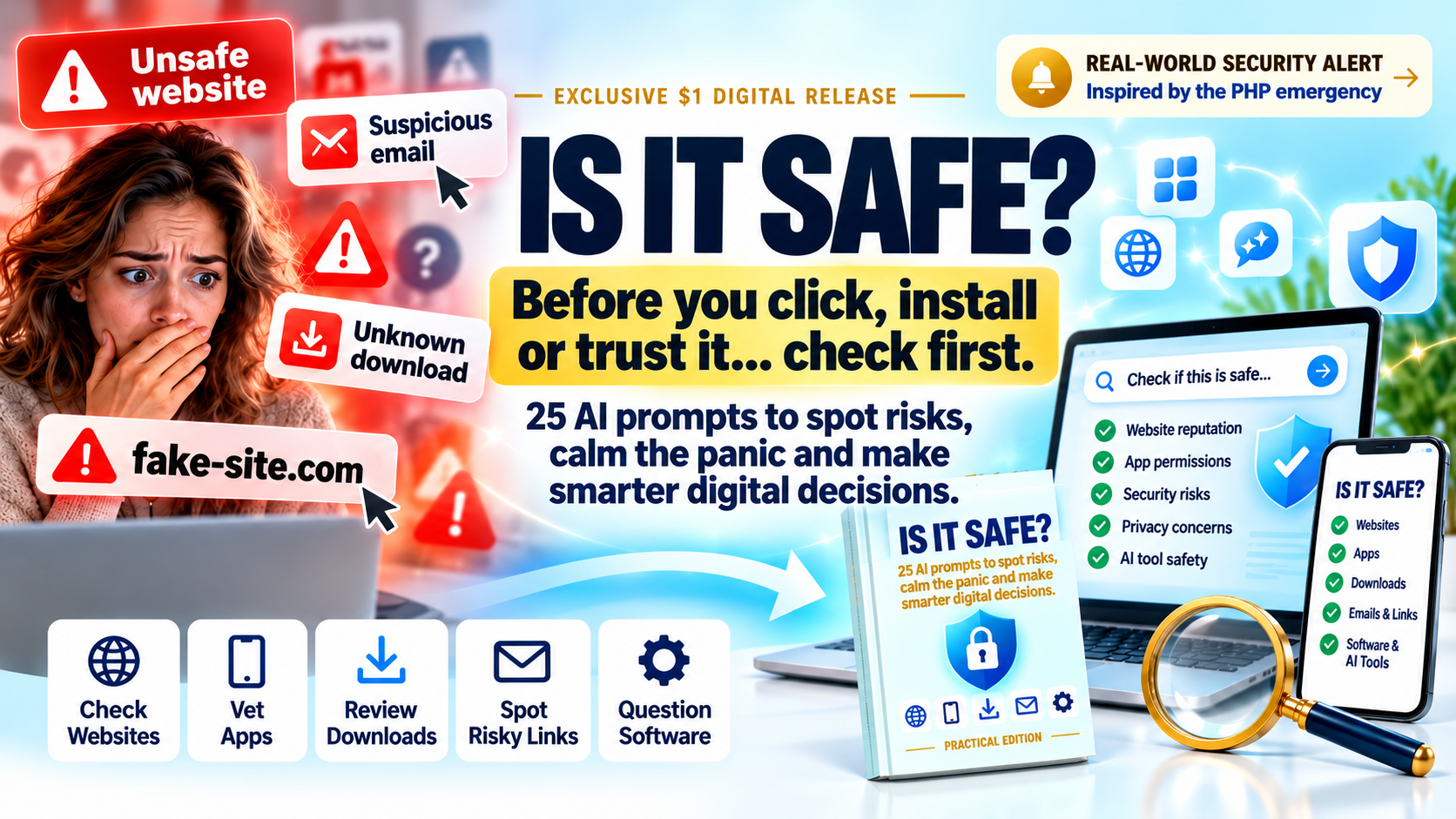
IS IT SAFE? digital guide artwork: guide cover, laptop and phone mockups with website, app, download, email and software checks

Before you install, sign up or hand over your details, put AI to work as your personal safety checker — with 25 clear, copy-ready prompts.

Practical Edition | GPT-THINK

REAL-WORLD SECURITY ALERT | OCTOBER 2026

The PHP Emergency: Could Your Website Be Affected?

On 21 October 2026, two critical PHP security vulnerabilities prompted emergency updates and warnings from cybersecurity authorities. PHP powers many websites and online applications, and website owners were urged to check affected systems and apply security updates.

Most of us aren't cybersecurity experts. But we can learn to ask better questions.

That's why we created IS IT SAFE? — 25 copy-and-paste AI prompts to help you investigate the websites, software and apps you rely on.
Source: UK National Cyber Security Centre

Your Digital Safety Starter — Just $1

  • 25 copy-ready AI prompts
  • Check websites before you buy
  • Vet apps before you install
  • Spot risky emails and links
  • Question software and AI tools
  • Instant digital delivery

One-time payment. Instant digital delivery.

Buy IS IT SAFE? now on WarriorPlus

Inside the guide

What's Inside

Websites & Online Shops

Prompts that help you question a site's trust signals, policies and reputation before you buy or sign up.

Apps & Downloads

Check what an app asks for, who made it and what red flags to look for before it lands on your device.

Email & Messages

Use AI to help you pick apart suspicious emails, links and attachments before you click.

Software & Subscriptions

Ask the right questions about installers, licences, auto-renewals and data collection.

AI Tools & Services

Prompts for checking what an AI tool does with your prompts, files and personal data.

Your Accounts & Data

Prompts that help you review passwords, permissions and where your information is stored.

Try it yourself

A Sample Prompt From the Guide

“I'm thinking of installing this app: [paste app name and store link]. List the permissions it requests, explain what each one lets it do, flag any that seem excessive for what the app claims to do, and give me a short list of questions to check before I install it.”
Every prompt in the guide follows this practical pattern: what to paste in, what to ask, and what to look for in the answer.

Take a Look Inside

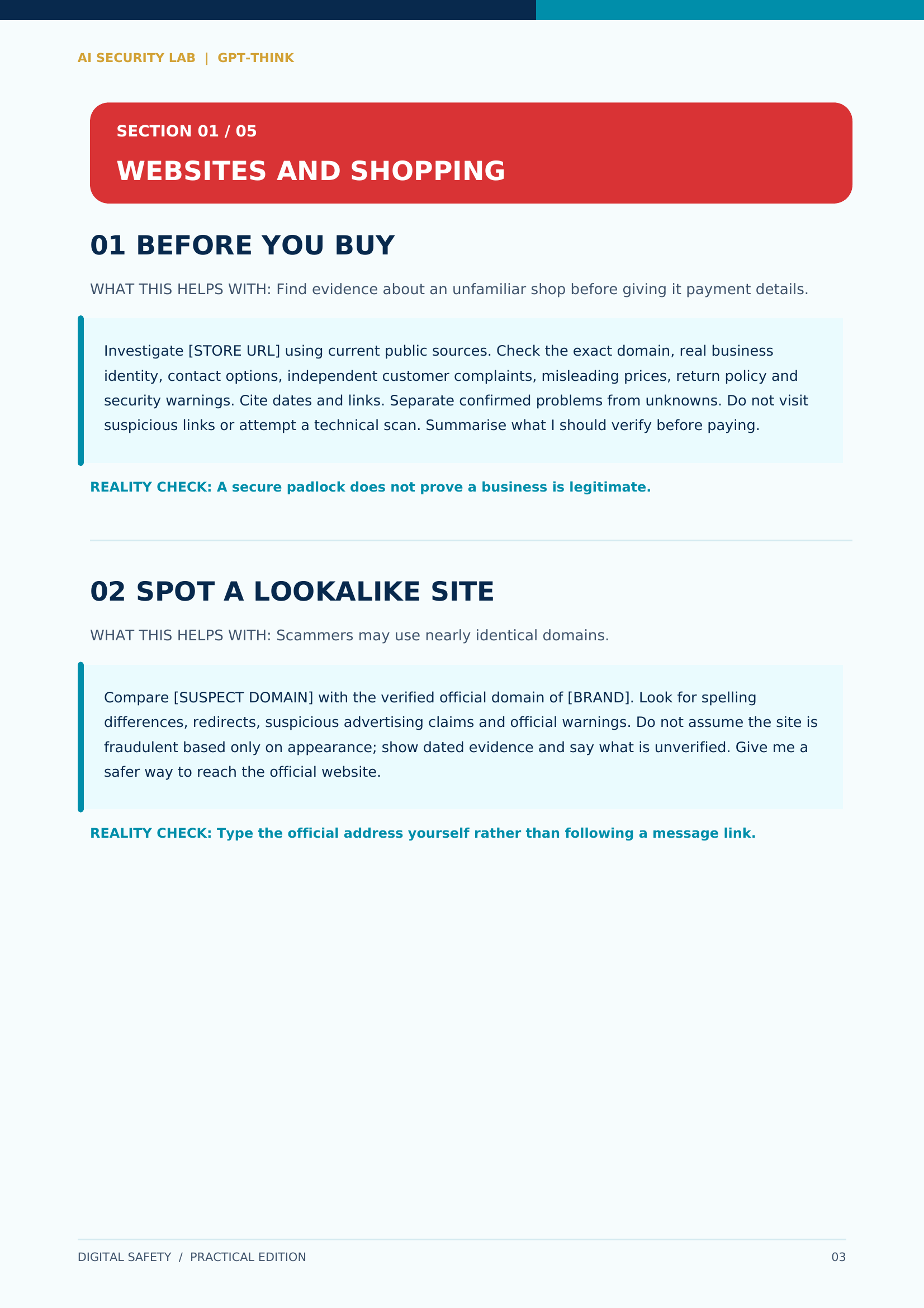
Sample page from the guide: Websites and Shopping, prompts 01 Before You Buy and 02 Spot a Lookalike Site
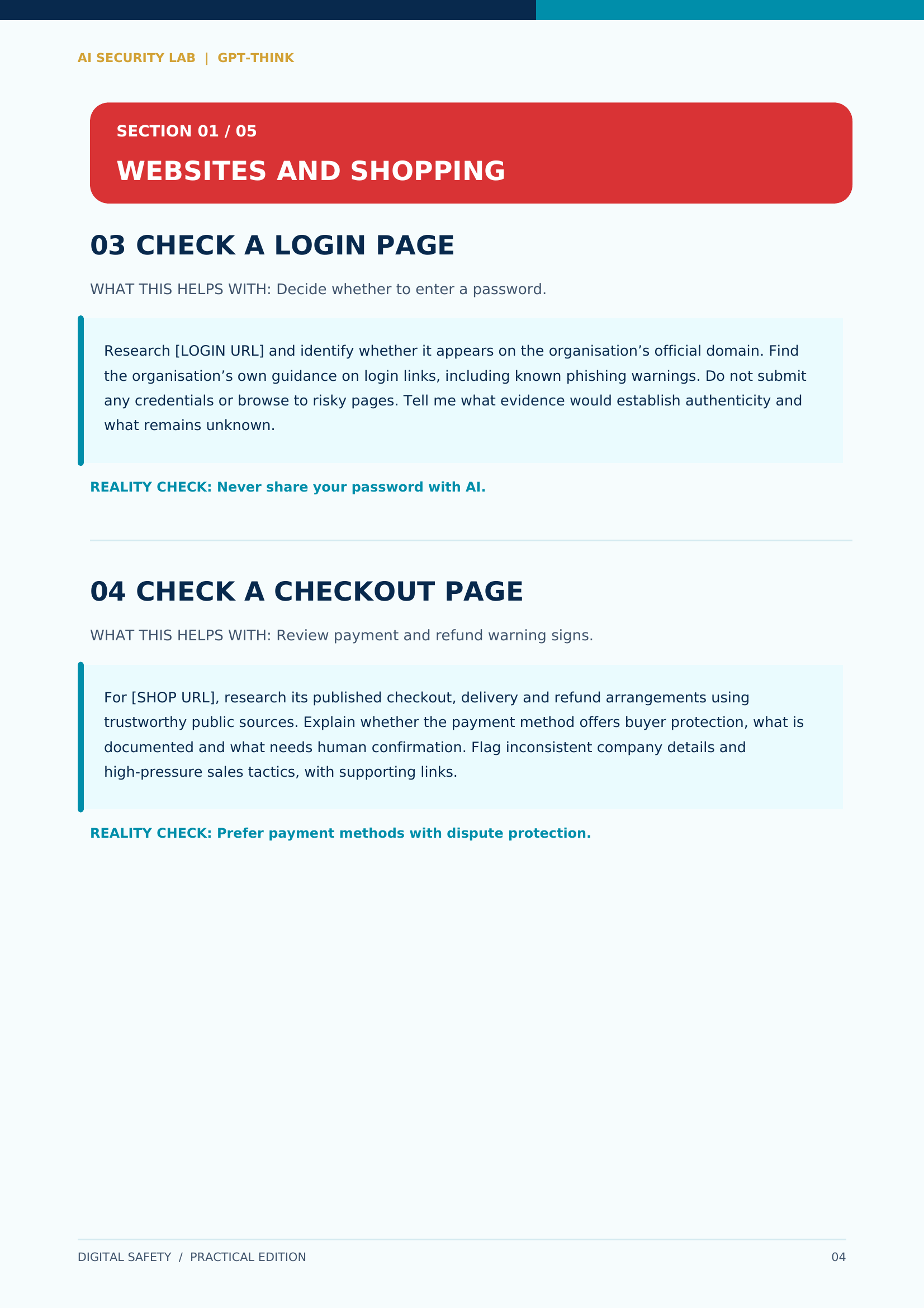
Sample page from the guide: Websites and Shopping, prompts 03 Check a Login Page and 04 Check a Checkout Page

Exclusive companion

Found a Risk. Now What?

FOUND A RISK. NOW WHAT? — $5

The companion guide: 25 more AI prompts to help you protect your accounts, data, devices and digital business once something looks wrong — from tightening settings to planning your next steps.

An optional, separately purchased $5 product. Not included with the $1 main guide. It is offered as an optional addition during checkout — there is no separate payment button.

Frequently Asked Questions

What exactly do I get for $1?

A digital guide containing 25 copy-ready AI prompts, organised by topic — websites, apps, email, software, AI tools and your accounts — plus guidance on how to use them and read the answers.

Do I need technical knowledge?

No. The prompts are written in plain language. You paste them into an AI chat tool and read the reply — the guide shows you how, step by step.

Which AI tools do the prompts work with?

The prompts are written for general use with popular AI chat assistants. You paste them into the tool you already use — no special software is required.

Will this guarantee I never get scammed or hacked?

No. No guide can promise that. These prompts help you ask better questions and spot warning signs, but the final decision — and your own caution — always stays with you.

How is it delivered?

It's a digital product, delivered instantly after checkout through WarriorPlus.

What is the $5 companion guide?

Found a Risk. Now What? is an optional, separately purchased guide with 25 further prompts focused on protecting your accounts, data, devices and digital business after you spot a problem. It is offered as an optional addition during checkout.

AI Limitations & Responsible Use

AI tools can make mistakes, miss context or give outdated answers. Treat every AI response as a starting point for your own checks — not as professional security, legal or financial advice.

Never paste passwords, private keys, ID documents or other sensitive personal information into an AI tool. The prompts in this guide are designed to work without you sharing secrets.

If you believe an account or device has been compromised, contact the relevant service provider directly and consider qualified professional help. This guide is educational material, not an incident-response service.

Rules & Refunds

This is a digitally delivered product. Please check the product description before buying.

Purchases are governed by the terms and refund policy displayed at WarriorPlus checkout and applicable consumer law; statutory rights are not excluded.

No safety outcome, business result or time-saving is guaranteed.

Support: Contact GPT-THINK

Check Before You Trust.

Get the 25-Prompt Guide for $1

Buy IS IT SAFE? now on WarriorPlus